☎
Reach trusted family
Set a preferred contact and call them with a clear, user-initiated action.
 Amar Sathiআমার সাথী
A family support companion
Amar Sathi helps older adults and families stay connected with simple reminders, check-ins and user-controlled ways to reach trusted people.
Designed for accessibility. It does not diagnose, treat or replace professional or emergency services.
Made for everyday use
Large controls, clear wording and familiar actions help make the app easier to understand and use.
Set a preferred contact and call them with a clear, user-initiated action.
Create one-time, daily or weekday reminders and mark them done or snooze them.
Send a check-in to a chosen family contact when you decide to share it.
Share your current location only after granting permission and confirming the action.
Use supported browser speech recognition for common tasks, or use the large on-screen buttons.
Readable text, high contrast, keyboard support and a language selector help more people use the site.
Amar Sathi preview
See how the home screen, voice assistant, reminders, routine prompts and trusted-contact actions are presented.
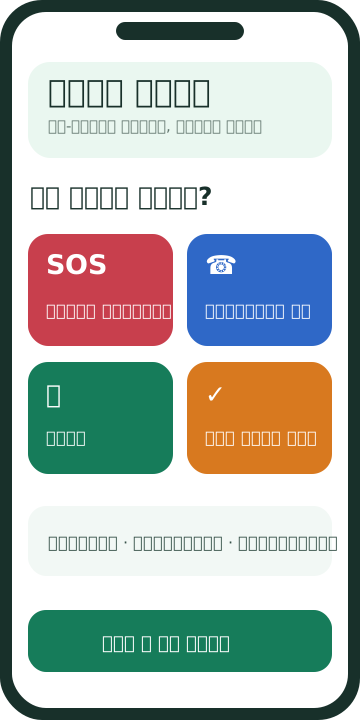
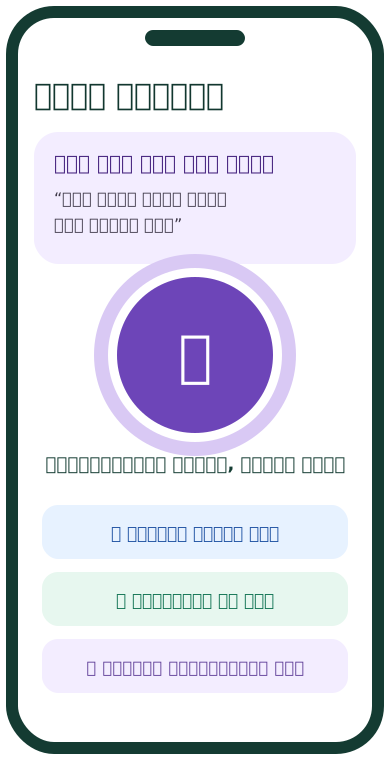
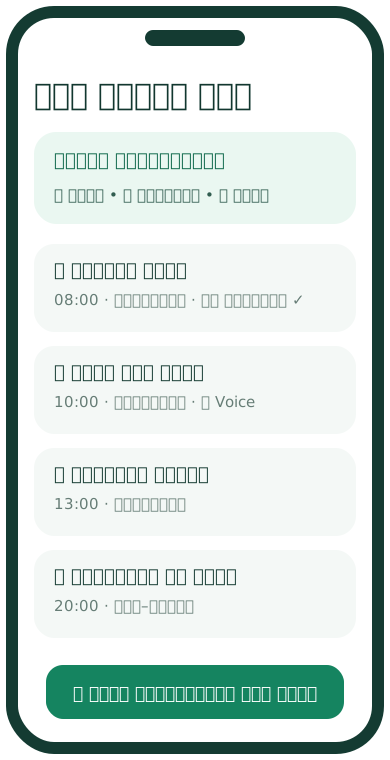
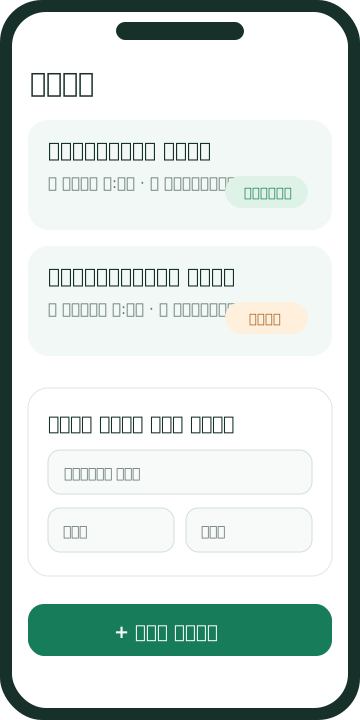
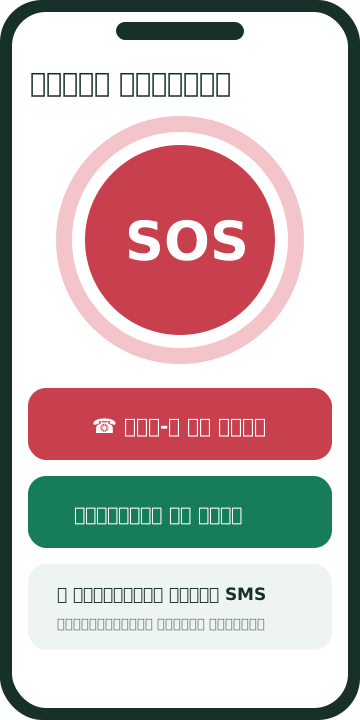
Illustrative product previews; actual appearance may vary by device and release.
Campaign video
See how a family uses Amar Sathi for simple reminders, voice assistance and everyday check-ins.
This video is in Bengali; page text follows the selected language.
Open video in a new tabSay it simply
Tap the microphone, allow microphone access, then say a short request. Amar Sathi will show what it understood before any action that contacts someone or shares information.
Voice assistance is for supported app commands. It does not search the whole web or answer medical questions.
Voice recognition depends on browser and device support and may send speech to the browser provider. You can always use buttons instead.
Try the voice assistant“Show my reminders for today.”
“I am safe.”
“Share my location with my family.”
“Open emergency help.”
Calls and sharing always need your confirmation.
Helpful information
Practical guidance for older adults and caregivers. Amar Sathi is a working early-stage beta; these guides explain the current features and their limits.
Add a family member or caregiver number you trust. Check that the number is correct and ask the person before making them your contact.
Enter the reminder label and time. Medication reminders help you remember a schedule; they do not identify pills, recommend doses or replace advice from a clinician.
Speak in a quiet place and use a short phrase. If speech recognition is unavailable or gets a phrase wrong, use the matching large button and review the action before continuing.
Location access is optional. The app asks for permission and lets you confirm before sharing. Check who will receive the location and use device settings to revoke permission.
Save trusted contacts and local emergency numbers yourself. Amar Sathi does not dispatch help, monitor you continuously or guarantee that a contact will respond.
Keep the app and device notifications enabled if you want reminder alerts. The current web build stores entries on this device and is not a remote monitoring service.
Clear expectations matter
Amar Sathi is an independent, early-stage elder-assistance product. It is not a medical device, clinical service or emergency-response system. For urgent danger, contact your local emergency service directly.

The person behind Amar Sathi
I am a Dhaka-based software quality and automation specialist with 16+ years of experience in software engineering, QA automation, performance testing and quality leadership. I built Amar Sathi independently to explore how simple, accessible technology can help older adults and families stay connected. My engineering background informs a reliability-focused approach; it is not a claim of clinical validation.
ISTQB CTFL · ISTQB Agile Tester · IBM SkillsBuild AI Fundamentals (100%)
Another project: JAT Messenger ↗
Questions and answers
No. It is an early-stage, non-clinical support tool. It does not diagnose, treat, cure or prevent any condition. Speak with a qualified healthcare professional for medical advice.
No. It opens emergency guidance and your saved contacts. You choose whether to place a call or share your location. It does not dispatch or guarantee emergency assistance.
No. Speech recognition availability varies by browser, device and language. If it is unavailable, use the on-screen controls. You can change your device or browser permissions at any time.
In this web/PWA build, entries are stored locally in your browser on this device. They are not synced to a family member or a server. Clearing browser data may erase them.
The interface and guidance in this build include Bengali, English, Hindi, Japanese, Simplified Chinese, French, German, Arabic and Russian. Voice recognition quality still depends on the device and browser.
Questions or feedback?
Feedback from older adults, families and accessibility reviewers can help identify confusing wording and usability problems.
This information website may display ads after the site has been approved by Google AdSense. Ads are kept away from urgent and care-related actions in the app.